# Vue FilePond
Vue FilePond is a handy adapter component for [FilePond](https://github.com/pqina/filepond), a JavaScript library that can upload anything you throw at it, optimizes images for faster uploads, and offers a great, accessible, silky smooth user experience.
[](https://github.com/pqina/vue-filepond/blob/master/LICENSE)
[](https://www.npmjs.com/package/vue-filepond)
### Core Features
* Accepts **directories**, **files**, blobs, local URLs, **remote URLs** and Data URIs.
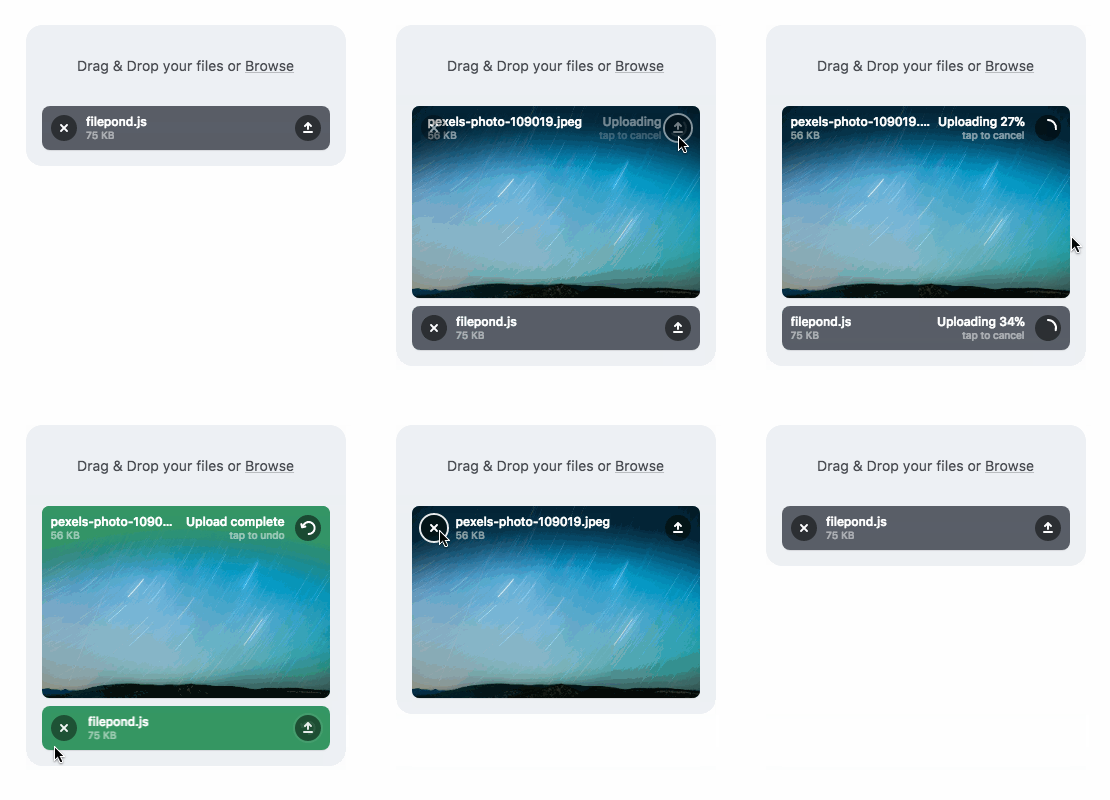
* **Drop files**, select on filesystem, **copy and paste files**, or add files using the API.
* **Async uploading** with AJAX, or encode files as base64 data and send along form post.
* **Accessible**, tested with AT software like VoiceOver and JAWS, **navigable by Keyboard**.
* **Image optimization**, automatic image resizing, **cropping**, and **fixes EXIF orientation**.
* **Responsive**, automatically scales to available space, is functional on both **mobile and desktop devices**.
[Learn more about FilePond](https://pqina.nl/filepond/)
---
### Also need Image Editing?
**Doka.js** might be just what you're looking for. It's a Modern JavaScript Image Editor, Doka supports setting **crop aspect ratios**, **resizing**, **rotating**, **cropping**, and **flipping** images. Above all, it integrates beautifully with FilePond.
[Learn more about Doka](https://pqina.nl/doka/)
---
Installation:
```bash
npm install vue-filepond filepond --save
```
Usage:
```vue
```
When using FilePond with an SSR configuration like Nuxt.js it's best to wrap it in `` tags.
```vue
```
Usage in the browser:
```html
Vue in Browser
```
[Read the docs for more information](https://pqina.nl/filepond/docs/patterns/frameworks/vue/)
[Live Demo with Code Sandbox](https://codesandbox.io/s/p3v8zoprp7)
 ### Core Features
* Accepts **directories**, **files**, blobs, local URLs, **remote URLs** and Data URIs.
* **Drop files**, select on filesystem, **copy and paste files**, or add files using the API.
* **Async uploading** with AJAX, or encode files as base64 data and send along form post.
* **Accessible**, tested with AT software like VoiceOver and JAWS, **navigable by Keyboard**.
* **Image optimization**, automatic image resizing, **cropping**, and **fixes EXIF orientation**.
* **Responsive**, automatically scales to available space, is functional on both **mobile and desktop devices**.
[Learn more about FilePond](https://pqina.nl/filepond/)
---
### Also need Image Editing?
**Doka.js** might be just what you're looking for. It's a Modern JavaScript Image Editor, Doka supports setting **crop aspect ratios**, **resizing**, **rotating**, **cropping**, and **flipping** images. Above all, it integrates beautifully with FilePond.
[Learn more about Doka](https://pqina.nl/doka/)
### Core Features
* Accepts **directories**, **files**, blobs, local URLs, **remote URLs** and Data URIs.
* **Drop files**, select on filesystem, **copy and paste files**, or add files using the API.
* **Async uploading** with AJAX, or encode files as base64 data and send along form post.
* **Accessible**, tested with AT software like VoiceOver and JAWS, **navigable by Keyboard**.
* **Image optimization**, automatic image resizing, **cropping**, and **fixes EXIF orientation**.
* **Responsive**, automatically scales to available space, is functional on both **mobile and desktop devices**.
[Learn more about FilePond](https://pqina.nl/filepond/)
---
### Also need Image Editing?
**Doka.js** might be just what you're looking for. It's a Modern JavaScript Image Editor, Doka supports setting **crop aspect ratios**, **resizing**, **rotating**, **cropping**, and **flipping** images. Above all, it integrates beautifully with FilePond.
[Learn more about Doka](https://pqina.nl/doka/)
 ---
Installation:
```bash
npm install vue-filepond filepond --save
```
Usage:
```vue
---
Installation:
```bash
npm install vue-filepond filepond --save
```
Usage:
```vue